25.4mm Handheld Inkjet Printer Gun Portable For Metal Expiry Date Barcode QR Code Batch Numbers Best Value Logo Printing INKP195


25.4mm Handheld Inkjet Printer Gun Portable For Metal Expiry Date Barcode QR Code Batch Numbers Best Value Logo Printing INKP195
SPECIFICATIONS
After-sale Service: Shop's Three Guarantees
Application: For Commercial
Battery Included: Yes
Black Print Speed: /
Brand Name: GZQIANJI
Color Print Speed: 0
Dot Matrix Printer Type: Universal ticket printer
Double-sided Printing: No
GZQIANJI Model: INKP195
High-concerned chemical: None
Interface Type: USB
Internal Memory: None
Max Paper Size: A0
Max. Resolution: 600dpi
Origin: Mainland China
Paper Feed Mode: Auto
Print Speed: 4ppm
Printer Width: 2-12.7mm
Signal Connection Type: None
Supports Network Printing: Wireless
Type: Inkjet Printer
Use: Inkjet Printer
Voltage: 100-240V
1inch Portable Handheld Inkjet Printer Production Date QR Coding Machine Plastic Metal Carton Printing Is Fast Dry Without Fading 25.4mm
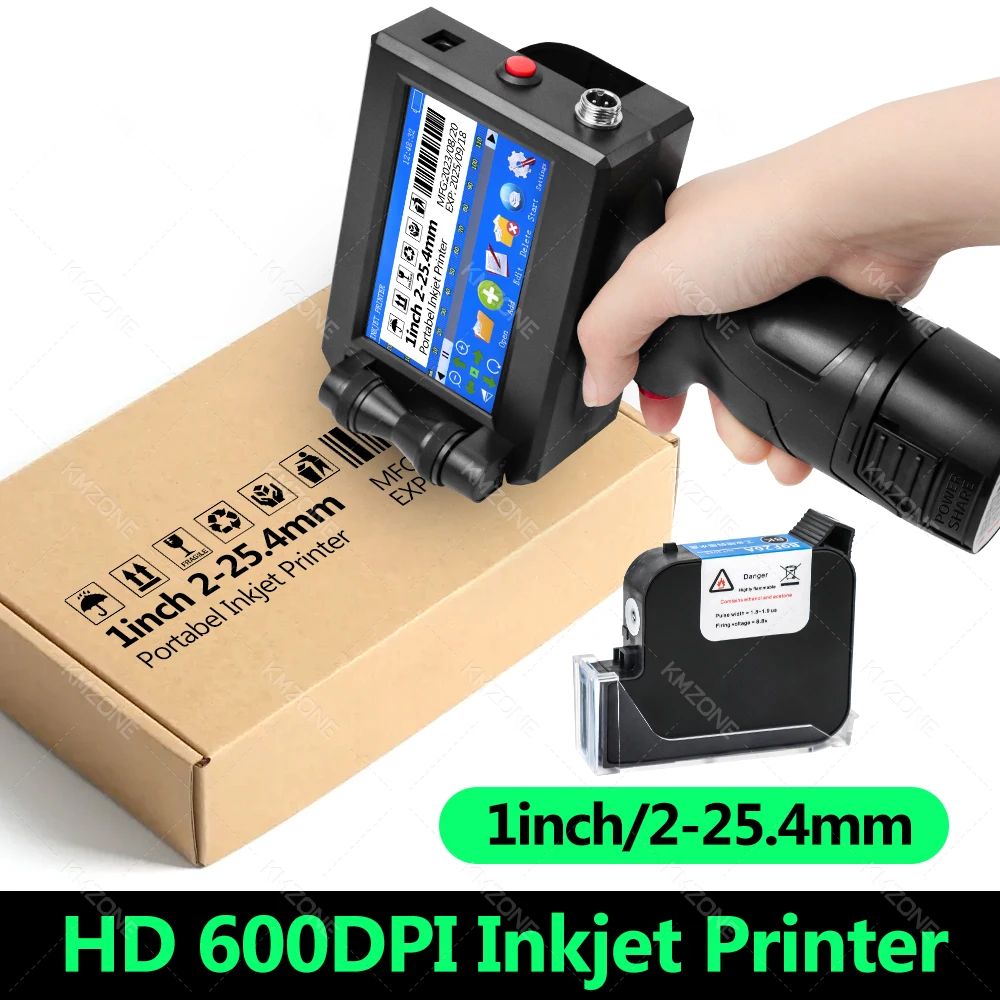
HD 600DPI 2-25.4mm Width Handheld Inkjet Printer
Cartridge Type: Solvent Quick Dry
Number of printing lines: 1-6 lines
External interface: usb, photoelectric, power supply
Counting sequence: 1-9 bit sequence variable
Screen features: 4.3-inch color screen, resistance touch
Data Interface: USB2.0, Optical Sensor Interface
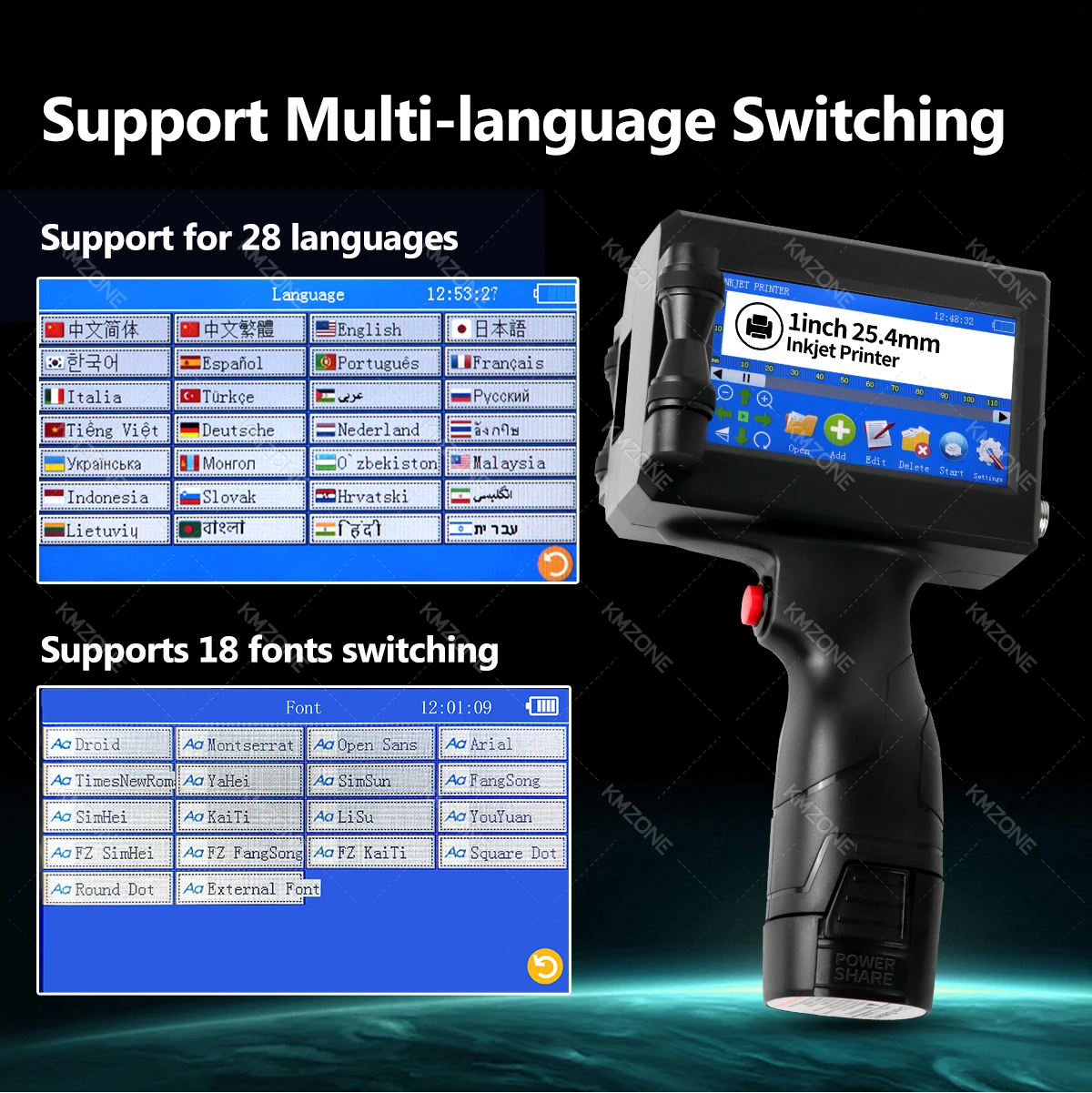
Multi-language: Simplified Chinese, Traditional Chinese, English, Japanese, Korean, Spanish, Portuguese, French, Italian, Turkish, Arabic, Russian, Vietnamese, German, Dutch, Thai, Ukrainian, Mongolian, Uzbek, Malaysian, Indonesian, Slovak.
Printing height: 2-25.4mm
Printing distance: within 3mm
Printing accuracy: 300/400/600 DPI adjustable
Printing material: plate, carton, pipe, cable, metal, plastic, etc.
Printing content: text/date/picture/barcode/GS1 code/2D code/counter/table/variable database, etc.
Graphic code types: QRCODE, PDF417, DATAMATRIX, UPCA, UPCE, EAN13, EANS, INT25, CODE39, CODE128, EAN128, etc.




Q&A you care about Most:
Q:How to better extend the life of the printer ?
A:Before installing and removing ink cartridges, be sure to turn off the printer.
Q:How to better protect the ink cartridge nozzle?
A:When not using ink cartridges, please close the protective cover in time.
Dip a soft paper towel with a small amount of alcohol before using, and then gently wipe the nozzle in one direction.
Q: Why does the printer screen not work?
A: When you find that the screen of the printer is not working, please calibrate the screen of the printer.
Q: Can the printer be equipped with photoelectric sensors?
A: Yes, our inkjet printer has an adapted photoelectric sensor. Please consult customer service before purchasing.
Q: Can the printer print on the bottle?
A: Yes, we will provide you with a metal positioning plate for free, For specific steps,please consult customer service.
Q: What should I do if the printer cannot print?
A: ①Check whether the rubber ring on the left side of the printer is off (not in the groove).
②Check if there the ink cartridge is installed properly.
③Switch the nozzle of the printer in the settings.
④ After turning off the printer, reinstall the ink cartridge.
⑤If you have completed all the above operations and the machine still cannot operate normally, please contact customer
service in time.
Q: The ink cartridge of the printer can print, but the printing is not clear, what should I do?
A: ①Check whether the ink cartridge nozzle is clean and dry, and wipe the nozzle carefully with a clean soft tissue.
② Take out the ink cartridge when the printer is off, shake the cartridge several times, and stick a clean tissue on the
surface of the nozzle to divert the ink.(Ask customer service for operation videos)
③Switch the nozzle of the printer in the settings.
④The above operation still cannot be solved, please consult customer service.
Q: What should I do when there is a printer phenomenon of wire drawing?
A: The ink cartridge is quick-drying. When there is a phenomenon of wire drawing, please wipe the nozzle carefully with a clean
soft tissue and switch the nozzle of the printer.When not using the ink cartridge, please install the cover in time.
Q: Can the printer be charged?
A: Yes.
TIPS:
① Please remove the battery at the bottom of the printer and charge it separately to avoid damage to the printer.
②Please use our special charger to charge the printer.
③When the printer is stored for a long time and not in use, it is recommended to safely charge and discharge it every three months.
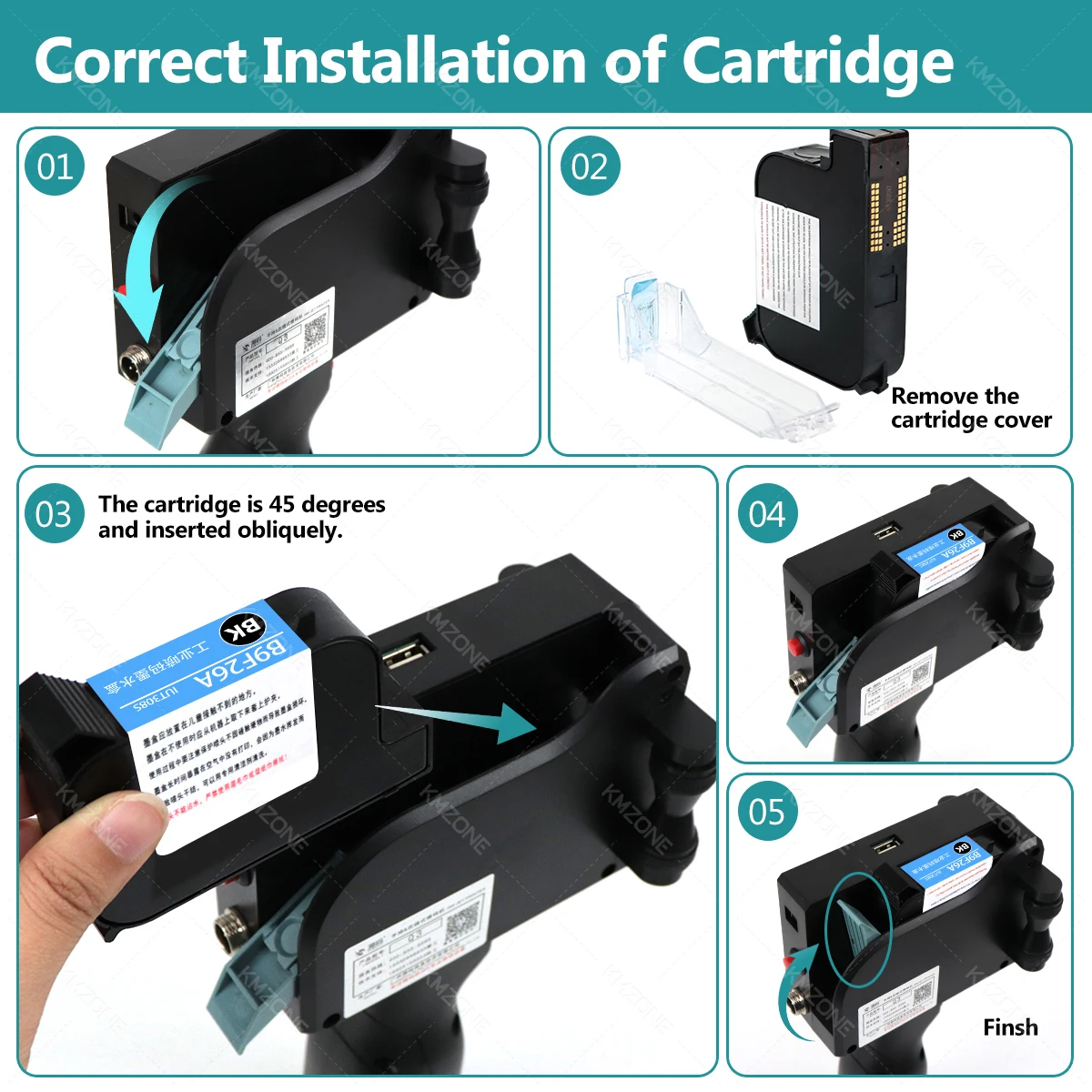
Turn the machine off before installing/removing the cartridges! Turn
the machine back on after the installation is complete!
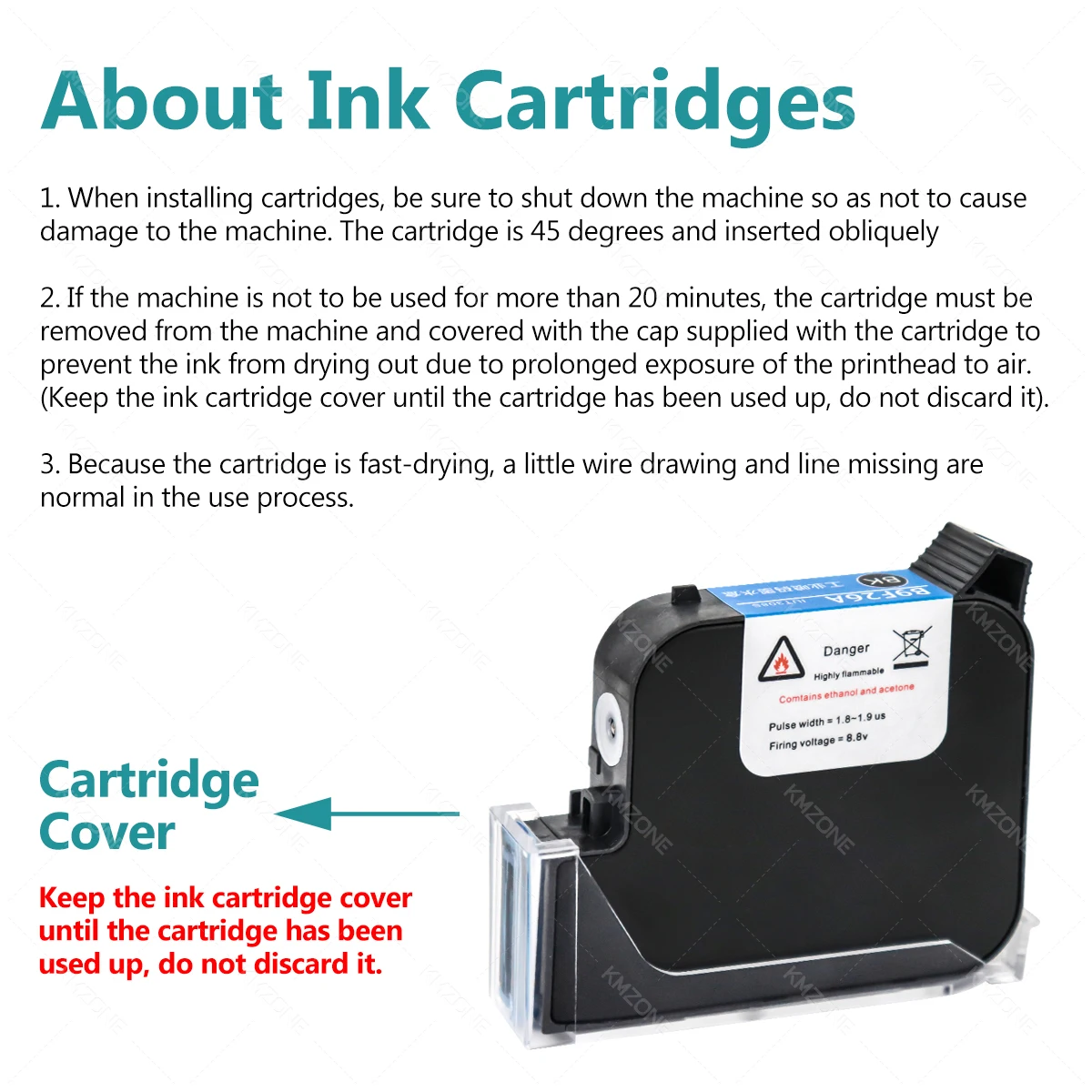
About Ink Cartridges
1. When installing cartridges, be sure to shut down the machine so as not to causedamage to the machine. The cartridge is 45 degrees and inserted obliquely
2. lf the machine is not to be used for more than 20 minutes, the cartridge must beremoved from the machine and covered with the cap supplied with the cartridge toprevent the ink from drying out due to prolonged exposure of the printhead to air.(Keep the ink cartridge cover until the cartridge has been used up, do not discard it)
3. Because the cartridge is fast-drying, a little wire drawing and line missing arenormal in the use process.